Cookie choices

Necessary cookies support login, payments, and security.

Optional analytics help us improve the product.

Current analytics: not set · Cookie Policy

Higgsfield Hotel Lobby: how the Genjutsu version works

By the AI Rap Video Generator team · Published

In brief

The Higgsfield Hotel Lobby videos are made with Genjutsu, Higgsfield's tool that re-performs a video with new characters while keeping the motion and timing. Creators give it the COLORS clip as the source and photos of two people as references. It is powerful and hands-on. If you just want the two of you rapping in an orange room, there is a shorter route.

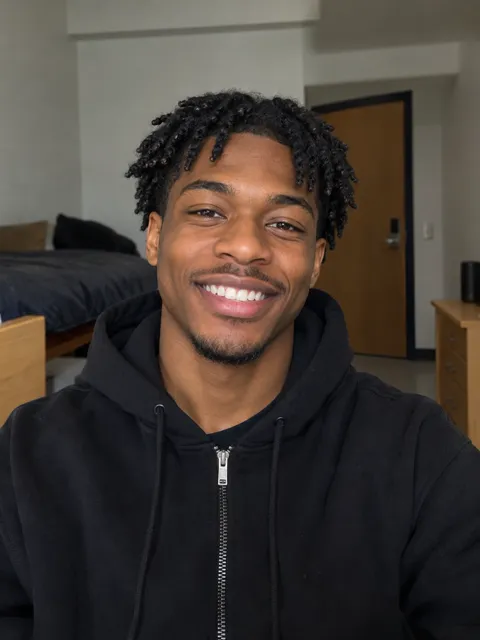
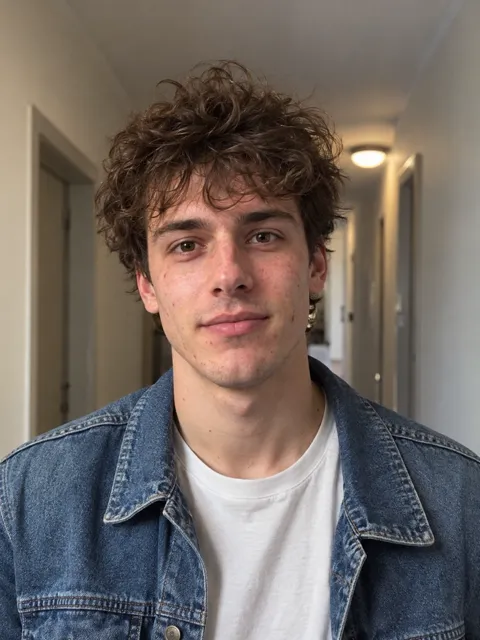
Selfie of a smiling young Black man with short twists in a black hoodieSelfie of a young man with curly brown hair in a denim jacket

Hotel Lobby AI

Two selfies, one orange wall, four lines about owning the lobby.

  1. Checked in late but we still own the lobby!
  2. Fresh fit, fresh flow, yeah we run this hobby!
  3. Two mics up and the whole floor shaking!
  4. Orange room legends, look at the moves we making!

What Higgsfield Genjutsu is

Higgsfield describes Genjutsu as a tool for changing selected parts of existing footage, such as a character, object, place or style, while keeping its motion. It has two modes:

  • Motion Transfer: carries the movement of a source clip onto new characters from your reference images.
  • Object Swap: replaces one element and keeps the rest of the footage.

The source clip runs from 4 to 30 seconds, and the result follows its length. It is paid in Higgsfield credits; the cost depends on length and resolution.

How creators make the Hotel Lobby video with it

These are the steps creators share in their tutorials, not Higgsfield's own instructions, so check the app for the current version.

  1. Get the source clip

    A section of the Hotel Lobby performance, within the 30-second limit.

  2. Open Genjutsu, choose Motion Transfer

    Upload the clip as the source video.

  3. Add the two people

    Upload a clear photo of each person as a reference, matching who replaces whom.

  4. Generate and review

    The result keeps the original moves, framing and timing, with the new faces.

A simpler way: rap your own lines

Higgsfield GenjutsuAI rap video
What you addA source clip and reference photosOne photo of each of you
The wordsWhatever is in the source clipFour lines written for you, edit any line
The musicThe source clip's audioAn original beat
Best forEditors who want frame-level controlA quick clip about the two of you

On hotel lobby ai the orange stage and beat are already set: add two photos, write or pick four lines, and get a 12-second vertical clip. A 720p video is 10 credits. Want a different look? The ai rap video generator has more stages, and migos ai has the Migos sound.

A note on the original

Takeoff passed away in November 2022. A Motion Transfer version reuses his performance, so use photos of people who agreed, and keep it kind. More in quavo and takeoff.

FAQ

Creators use Genjutsu's Motion Transfer: the Hotel Lobby clip as the source video and a photo of each person as references.
The source clip can run from 4 to 30 seconds, and the output follows it.
Genjutsu runs on Higgsfield credits; the cost depends on the length and resolution. Check Higgsfield's site for current prices.
Yes. An AI rap video needs only a photo of each of you and four lines, and makes a 12-second clip on an orange stage.

Sources

What's new on this page

  • Published, with Genjutsu's features checked on Higgsfield's own pages that day.

Make your AI rap video

Two photos and four lines. You only pay once the lyrics are right.