Cookie choices

Necessary cookies support login, payments, and security.

Optional analytics help us improve the product.

Current analytics: not set · Cookie Policy

How to make an AI rap video from two photos

By the AI Rap Video Generator team · Updated

In brief

You need two photos (or one photo with both of you in it), a stage, and four short lines. Upload the photos, pick where you perform, say what the song is about, then read and edit the four lines before anything is charged. Rendering a 12-second vertical video costs 10 credits at 720p. Rendering opens at launch; everything before that step is free and works today.

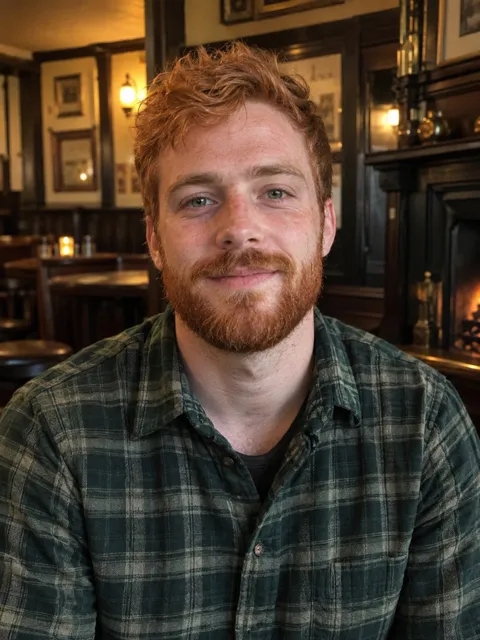
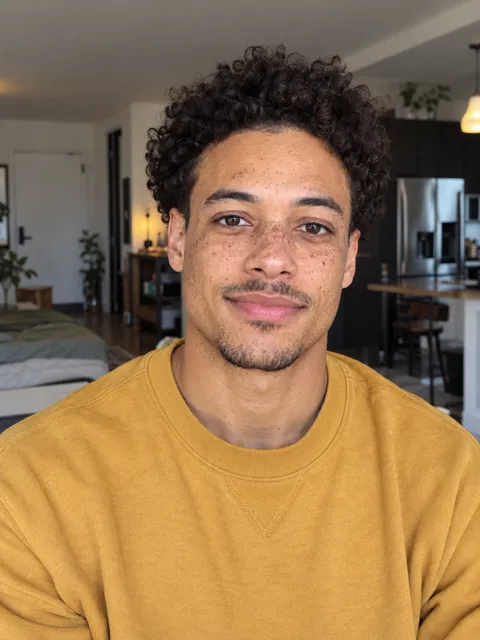
Portrait of a red-haired bearded man in a plaid shirtPortrait of a curly-haired man in a mustard sweater

Birthday roast

Two friends roast Jake on his thirtieth, live from a studio booth.

  1. Happy birthday Jake, you turning thirty today!
  2. Still can't parallel park, but hey, okay!
  3. Gray hairs coming and your knees going crack!
  4. Blow out the candles, we will carry you back!
What you need before you start

  • Two photos, one face each. Selfies are fine. Or one photo where both faces are clear.
  • Permission from everyone in them. The creator asks you to confirm this before you can continue.
  • An idea of who the song is for and one or two details worth rapping about: a name, an age, an inside joke.

A pet can take one of the two spots. The pet rap video page has examples of what works.

Make an AI rap video, step by step

  1. Open the creator

    It sits near the top of the AI rap video generator home page and of every use-case page; the Make a video button opens it full screen. A use-case page opens it with that page's stage and beat already chosen.

  2. Add your photos

    Choose Two photos or One photo of both, then drag each photo in or click to choose. JPG, PNG, WebP, HEIC and most other photo formats work, up to 10 MB each. Faces toward the camera, in good light, with nothing over the mouth. Then tick the box confirming you have the right to use the photos and everyone in them agreed.

  3. Pick a stage

    The stage is where the two of you perform: the orange Hotel Lobby wall, a street cypher, a studio booth, a birthday party and more. The background of your selfies does not matter; the AI rebuilds you on the stage.

  4. Say who it's for

    Tap an occasion (Birthday, Best friends, Love, Friendly roast, My business, Just for fun) and describe the song in up to 120 characters, for example "Jake's 30th birthday, best friends since second grade".

  5. Read and edit the four lines

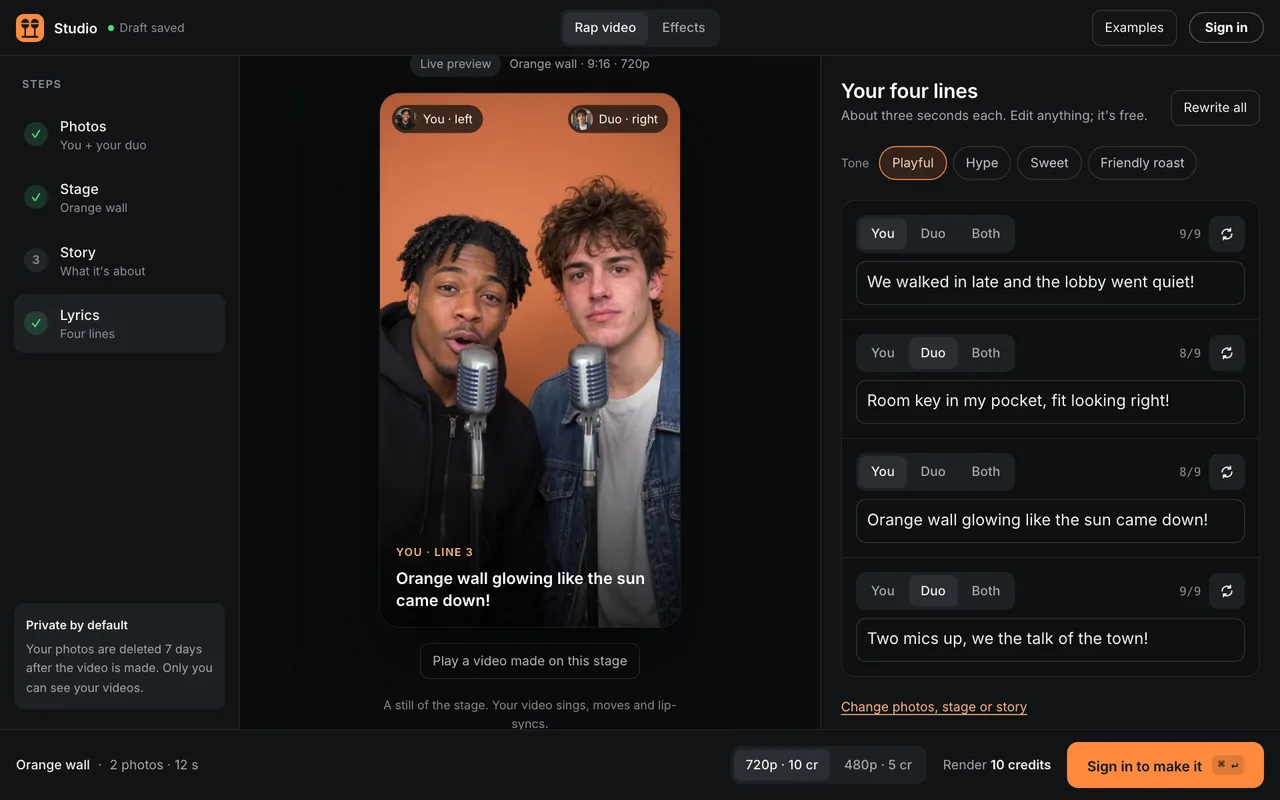
    Tap Write our lyrics and four lines are written for you from your occasion and story, free. Each line belongs to someone: You for the first photo, Duo for the second, Both for the two of you together. Edit any line, rewrite one with its refresh button, or change the tone (Playful, Hype, Sweet, Friendly roast) and rewrite all four. Keep each line to nine words or fewer so it fits its slot on the beat; the editor counts the words.

  6. Render and download

    When the lines read right, render the video: 10 credits for 720p or 5 for 480p. You get a 12-second, 9:16 clip with sound, sized for TikTok, Reels and Shorts.

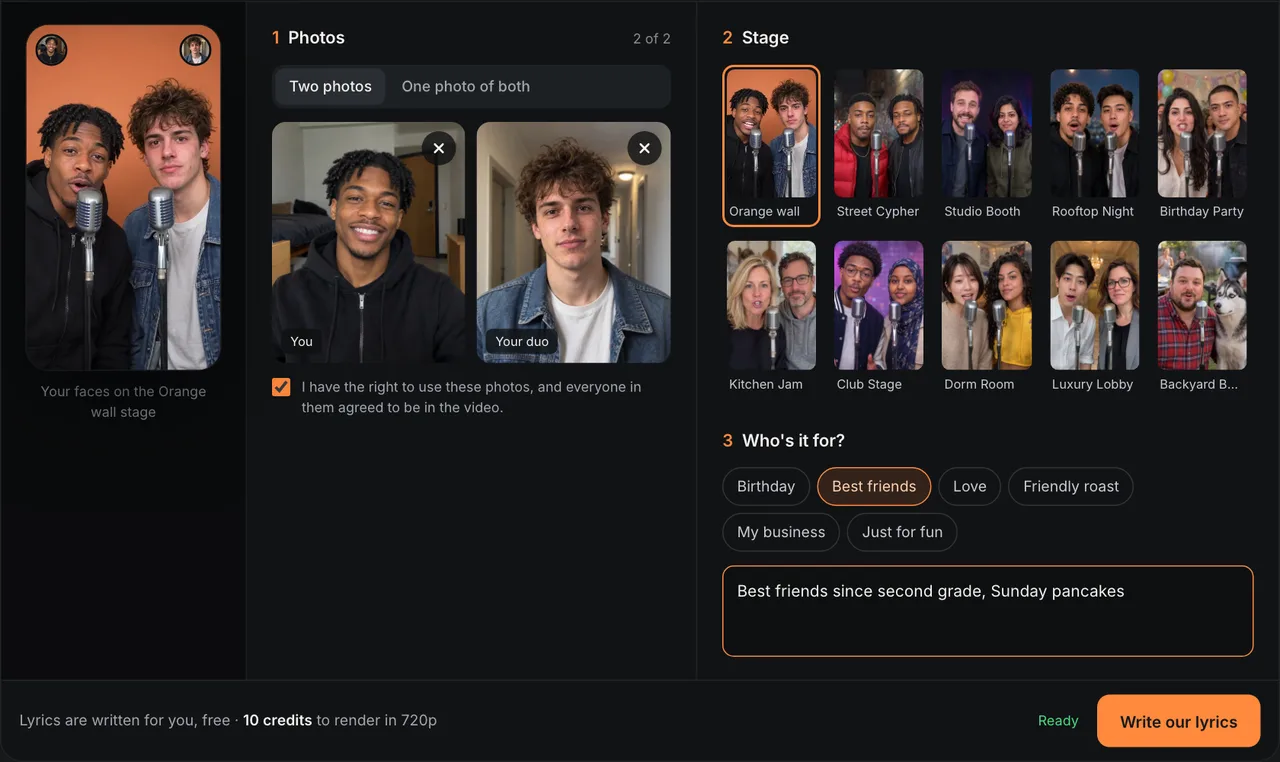
The creator with two selfies added, the Orange wall stage selected and Best friends chosen as the occasion
Photos, stage and occasion on one screen. The bottom bar shows the render cost before you start.
The lyrics step: four lines written for you, each tagged You, Duo or Both, next to a live preview of the stage
The lines are written for you. Edit any of them, then render.

Photos that give the best lip sync

  • One clear face per photo, roughly facing the camera. Strong side profiles make the mouth hard to animate.
  • Even light on the face. A dark room or a bright window behind you loses detail.
  • Nothing covering the mouth: no hands, drinks, microphones or masks.
  • Chest up is plenty. Similar framing in both photos makes the pair look like they belong on one stage.
  • For one shared photo, both faces fully in frame and neither turned away.

Writing four lines that land

Twelve seconds is short. The beat runs alone for a moment, then each line gets its own slot, and the clip ends on a short tail. Four lines is the whole song, so every word has to earn its place.

  • Put a name or a detail only your friends would get in the first line.
  • Let the second line answer the first, like a reply in a conversation.
  • Save the best joke or brag for the last line, and give it to Both so you say it together.
  • Read each line out loud. If you run out of breath, it is too long.
  • Some words, mostly violent ones, are blocked even as slang, because the video model refuses them. The editor tells you which word to swap.
Example: best friends since grade school
  1. Met in second grade, still sharing one brain!
  2. Still owe me for that lunch in the rain!
  3. Twenty years later and we never switched lanes!
  4. Best friends forever, put that on our chains!

What it costs

Uploading photos, choosing a stage and editing lyrics cost nothing. Rendering uses credits: 10 for a 720p video, 5 for 480p. The Single pack is $6.99 and covers one 720p video, and credits from one-time packs never expire. Your first 5-second rap video is free (one per person, with a small watermark; it waits in a free queue and you get an email when it is ready). Every pack and plan is on the pricing page.

If a render fails, the credits come back. If a finished clip has a problem, for example a line comes out of the wrong face, tap "Tell us" on its page: we review every report and refund the credits when the video missed.

When something goes wrong

ProblemFix
The photo is not acceptedUse a photo under 10 MB. JPG, PNG, WebP, HEIC, AVIF, GIF, BMP and TIFF all work.
Write our lyrics stays greyAdd every photo slot and tick the permission box.
A line shows a warningCut it to nine words or fewer, or swap the word the editor names.
The wrong person seems to rap a lineCheck the You, Duo and Both tag on each line before rendering. Each tag decides whose mouth moves.

What to make first

The two most popular formats are the Hotel Lobby AI orange wall and a birthday rap song. For something with more edge, an AI rap battle puts the two of you on opposite sides. The examples page shows every finished clip next to the photos it started from.

FAQ

Yes, if both faces are in that photo. Choose One photo of both. Every video is a duo; the best friends rap video shows how a single selfie of two people turns out.
No. You describe the song in a sentence and four lines are written for you, free, then you edit what you like or ask for a new take on any line.
Twelve seconds, vertical 9:16, with sound, in 720p or 480p.
No. The two of you rap the four lines you approved over a beat made for the clip, so nothing is copied from an existing song.
Everything up to the render is free, and so is your first 5-second rap video: it raps your first two lines at 480p, with sound and a small watermark, and you get an email when it is ready. A full 12-second video costs 10 credits at 720p and starts right away.

What's new on this page

  • Steps updated for the new creator: lyrics are written for you, with screenshots.
  • Guide published.

Make your AI rap video

Two photos and four lines. You only pay once the lyrics are right.