Cookie choices

Necessary cookies support login, payments, and security.

Optional analytics help us improve the product.

Current analytics: not set · Cookie Policy

How to do the AI trend on TikTok, step by step

By the AI Rap Video Generator team · Published

In brief

Pick the trend, add a clear photo of you (or one of each of you), render the clip and post it with the trend's sound. Every AI trend below starts from photos you already have; nobody needs to film anything.

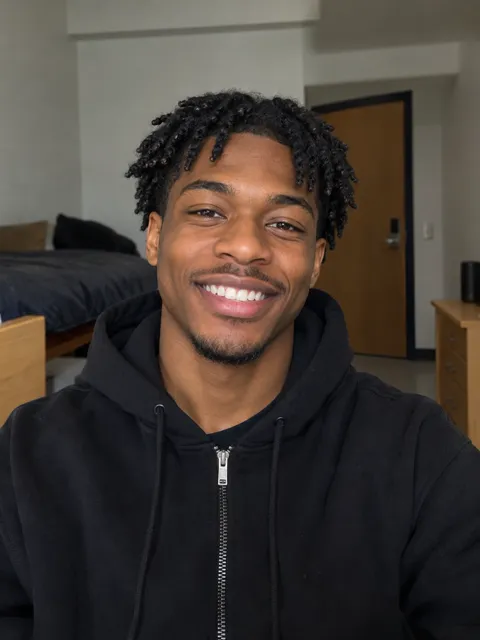
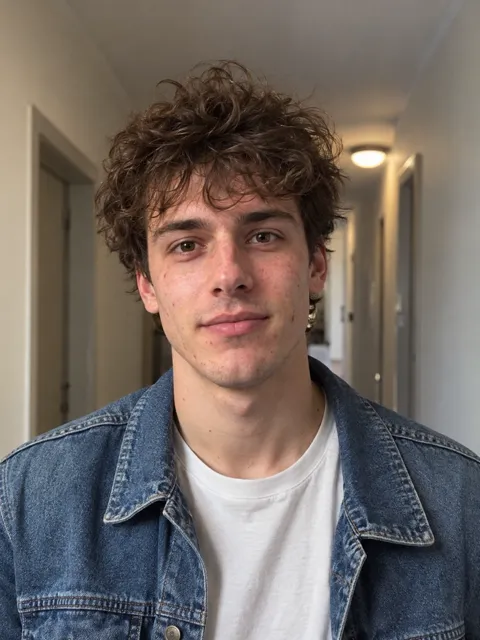
Selfie of a smiling young Black man with short twists in a black hoodieSelfie of a young man with curly brown hair in a denim jacket

Hotel Lobby AI

Two selfies, one orange wall, four lines about owning the lobby.

  1. Checked in late but we still own the lobby!
  2. Fresh fit, fresh flow, yeah we run this hobby!
  3. Two mics up and the whole floor shaking!
  4. Orange room legends, look at the moves we making!

How to do the AI trend on TikTok

  1. Pick the trend

    Find it in the list below. Each one opens with the right effect already selected.

  2. Add your photo

    A sharp photo with your face toward the camera. For a duo trend, add one photo of each of you.

  3. Make the clip

    Choose a length and render. You get a vertical video, sized for TikTok.

  4. Post it with the sound

    Upload it in TikTok, tap the sound and pick the trend's audio, then turn the clip's own sound down.

The AI trends on TikTok right now (October 2026)

  • Burning Bridges: a chandelier party where you walk in like you own it. Make it with burning bridges ai.
  • Raindance: a golden-hour pier, a slow look back at the camera. Start from the raindance ai trend.
  • The gas station dance: a forecourt routine under neon lights, on the gas station ai trend page.
  • The zombie hug: one of you has turned, the other cannot let go. See the ai zombie trend.
  • Hotel Lobby: two friends rapping in front of an orange wall. Try hotel lobby ai.
  • Hugs: two separate photos in one warm hug with the ai hug generator, or a hug with your younger self.
  • Earth zoom out: from your street to the whole planet with the earth zoom out.
  • Halloween: costumes and zombies are everywhere this month.

Every other effect, with its own example, is on the ai video effects page.

What app is everyone using for the AI trend?

Not one app: people use different photo-to-video tools and then post in TikTok. What matters for the trend is the look of the clip and the sound you add in TikTok. Here you can make every trend above in the browser, with no app to install.

Tips before you post

  • Use a photo where you look like yourself: no heavy filter, no sunglasses.
  • Add the official sound inside TikTok so your post joins the trend.
  • Show the original photo for a second at the start; people love the before and after.
  • Only use photos of friends who said yes.

FAQ

Pick the trend, add a photo, render the clip, then post it in TikTok with the trend's sound.
There is no single app. Any photo-to-video tool works; the trend is the look and the sound.
Upload the clip in TikTok, tap the sound button, search for the trend's audio and lower the original sound.
Add a photo of you today and one of you as a kid, then pick the Polaroid Hug effect.
Your first 5-second rap video is free, one per person. After that, effects are priced per second and a full rap video is 10 credits.
Only with their permission. Never upload a celebrity or a stranger.

What's new on this page

  • Published with the October 2026 trends.

Make your AI rap video

Two photos and four lines. You only pay once the lyrics are right.