Restore old photos free: scratches out, color in
Upload a faded, scratched or black-and-white photo. The AI removes the damage, fixes the fading and adds natural color, while every face stays exactly as it was.
- 3 free a day
- No watermark
- Private to you
Loading…
Before and after
Three restores made with this tool. Drag the slider on each photo to compare. The originals are sample portraits with simulated damage.

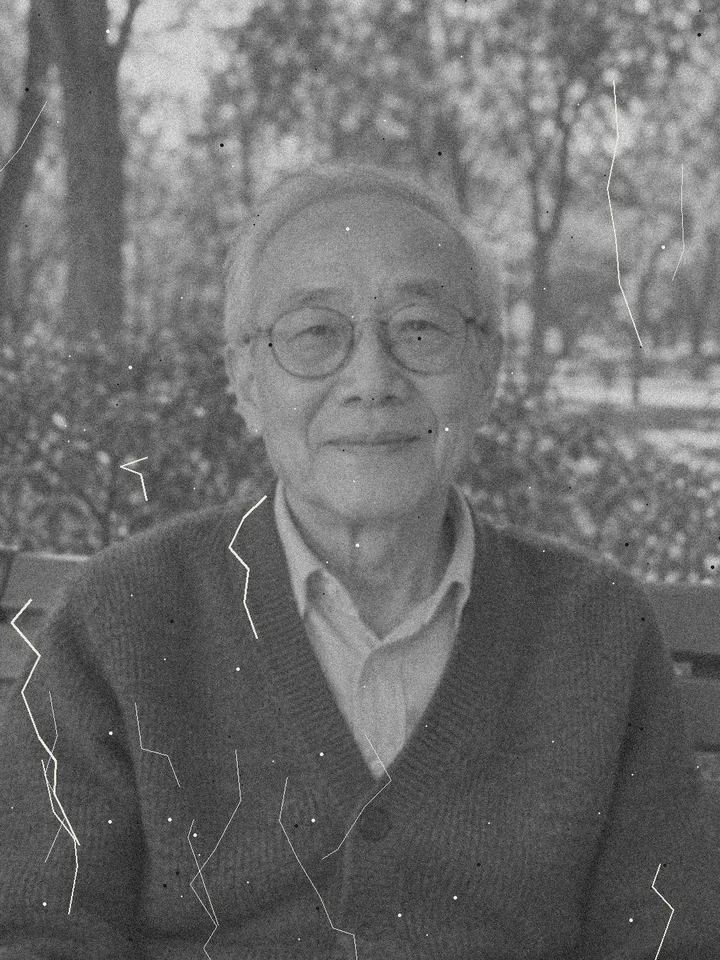 BeforeAfter
Black and white, scratched
Scratches and dust gone, natural color added, glasses and smile kept.

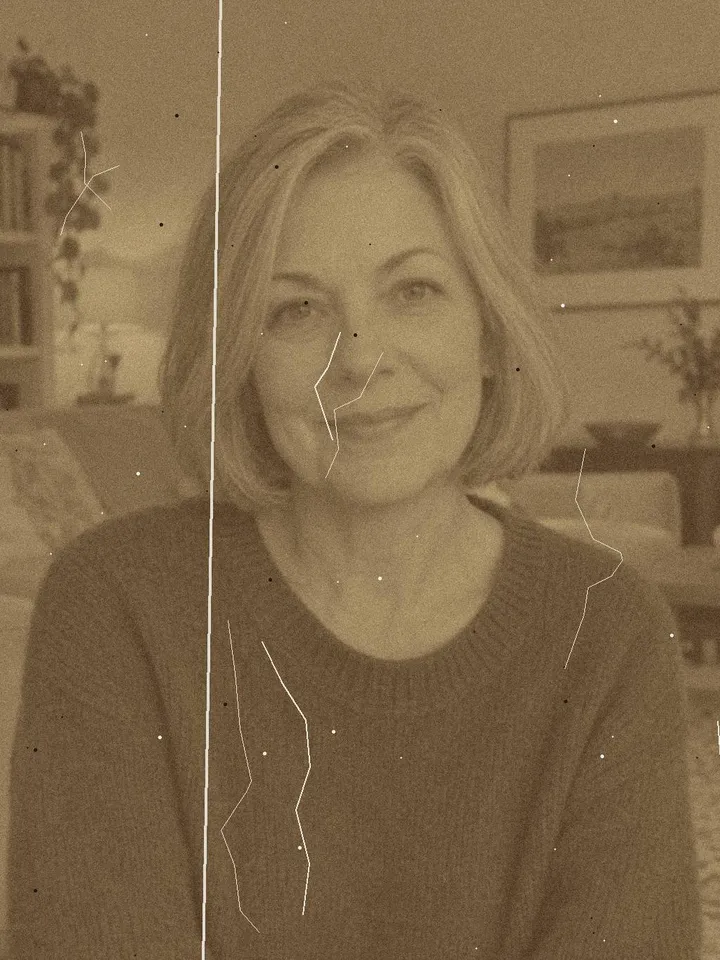 BeforeAfter
Sepia with a crease
The fold line and the yellow cast removed, the portrait in full color.

 BeforeAfter
Faded color print
Washed-out colors brought back; both faces stay the same.
How to restore an old photo
Sign in
Sign in with Google. Each account gets 3 free restores a day, and only you can see your photos.
Upload the old photo
A scan or a phone photo of the print. JPG, PNG, WebP and iPhone HEIC all work.
Wait about 2 minutes
The AI cleans, sharpens and colorizes the photo. The result appears on this page on its own.
Compare and download
Drag the slider to see before and after, then download the full image with no watermark.
What the photo restorer fixes
One pass handles the usual damage of an old print:
Scratches, dust and creases
Cracks, spots and fold lines disappear.
Stains and spots
Water marks, mould spots and stains are cleaned away.
Fading and color casts
Yellowed and sepia prints get their contrast back.
Grain and blur
Film grain is smoothed and the photo gently sharpened.
Black-and-white photos
Natural, muted colors for skin, hair, clothes and the background.
Faces kept as they are
Faces, pose and composition are kept, not beautified; compare with the slider.
Getting a good scan
The better the copy, the better the restore. Use a flatbed scanner at 600 dpi if you have one. With a phone, lay the print flat in soft daylight, hold the phone straight above it, turn the flash off and avoid glare from glass or glossy paper. Crop away the table around the print before you upload.
Bring the restored photo to life
Once a photo is restored, press Make it move to animate old photos with the Bring to Life effect: the person blinks, smiles and glances to the side. Browse more AI video effects made from one photo.